Decide who reaches your Inbox.
Only people you approve reach your Inbox. Everyone else goes to Trash, where you can see them and approve the ones you want.
Patent-pending opt-in technology.
Illustration. Trash empties itself after 30 days.
Stop letting strangers decide what reaches your Inbox.
Most email services try to spot unwanted mail. OptMsg starts from who you’ve approved.
Traditional spam filters
Try to identify unwanted messages and keep them out of your Inbox. Some unwanted emails can still get through.
OptMsg Opt-In
Only people you approve reach your Inbox. Everyone else goes to Trash, where you can see them, so a fake bank, delivery or prize email from a stranger lands there instead of in your Inbox.
Getting started is simple.
Start with the people you know.
Sync your trusted contacts, and the people and businesses you already know reach your Inbox from day one. You can share all your contacts, or pick only the ones you want, and add other addresses yourself as you go.
Watch: Sync your contacts (1:54)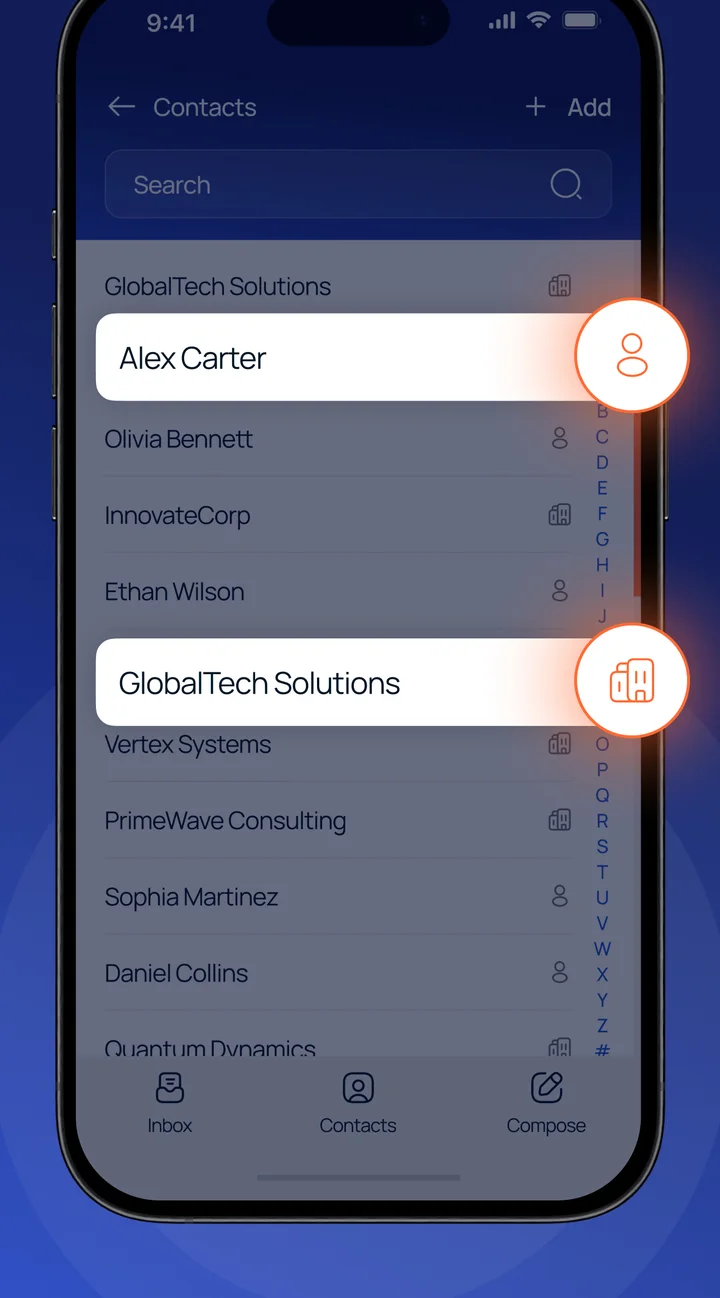
Real OptMsg screen with example names.
Everyone else goes to Trash.
Mail from people you haven’t approved stays out of your Inbox. You can see it and open it in Trash.
Approve anyone you want to hear from.
Approve a sender right from Trash, and their mail lands in your Inbox from then on. You don’t have to move their messages one by one.
Watch: Opting in a sender (2:31)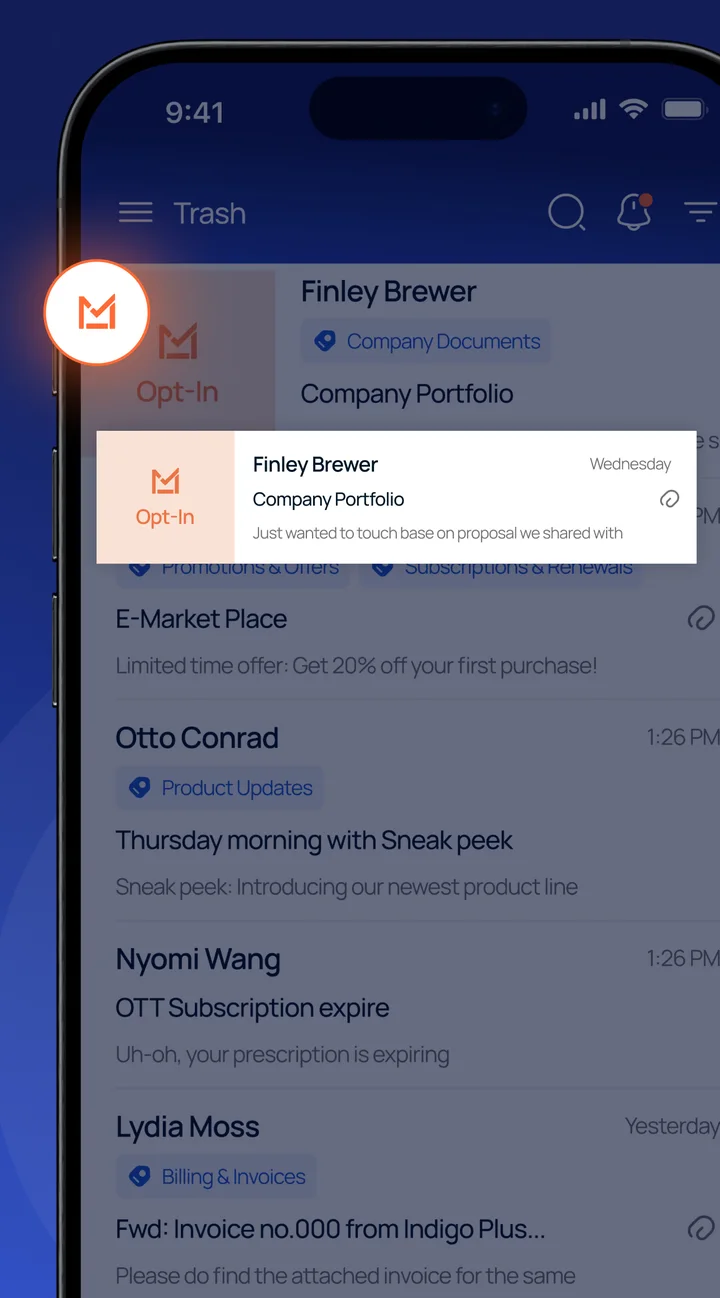
Real OptMsg screen with example names.
A scammer can use any name. OptMsg goes by the address.
Anyone can make an email say it’s from “Your Bank” or a familiar store. OptMsg checks each incoming email address against your approved contact list, and it goes by the real sender address, not the name shown.
No email service prevents every scam. An approved sender’s account can still be misused.
Illustration. Not on your approved list, so it goes to Trash.
When many people approve a sender, OptMsg lets you know.
When mail from someone you haven’t approved lands in your Trash, OptMsg checks whether many other OptMsg users have approved that sender. If they have, the message is marked as a Community Recommendation, and you get an alert so you can take a look.
Community Recommendations help you spot senders that many other OptMsg users have approved. You still decide whether to approve them.
It’s based on choices real OptMsg users have made, not a filter guessing. And there’s no rush: messages stay in Trash for 30 days so you can see and restore them, then they leave your account.
Watch: Community Recommendations (1:22)Patent-pending.
Illustration. Many OptMsg users approve the pharmacy, so its message is marked. The other two aren’t.
Questions about Opt-In
What if someone new emails me?
Their first email goes to Trash, where you can see it. Approve them right from Trash, and their mail lands in your Inbox from then on. Messages stay in Trash for 30 days so you can see and restore them, then they leave your account.
Can I approve a sender before they email me?
Yes. Add their address to your contacts, and their mail goes to your Inbox from the first message.
Do I have to approve everyone one by one?
No. Sync your trusted contacts, and the people you already know reach your Inbox from the start. After that, you approve new senders as they show up.
How long do messages stay in Trash?
Messages stay in Trash for 30 days so you can see and restore them, then they leave your account.
How is this different from a spam filter?
A spam filter lets mail in and guesses what to hold back. With OptMsg, only people you approve reach your Inbox. Everyone else goes to Trash.
Does this stop scams?
It helps: a scam email from a stranger goes to Trash instead of your Inbox. No email service prevents every scam, though, and an approved sender’s account can still be misused.
Learn what else OptMsg can do.
Your Inbox. Your Rules.
Only people you approve reach your Inbox. Everyone else goes to Trash.
Keep your current email while you switch at your own pace.