Keep your current email. Switch at your own pace.
You don’t have to change every account, or tell everyone your new address, on the same day. You can keep your old account open while you move over.
Illustration.
It’s as easy as 1, 2, 3.
Sign up and choose your @optmsg.com address.
Pick the address you’ll keep. You can start using it right away, alongside your current email.
See plans and pricing →Sync your trusted contacts.
Let OptMsg use the contacts already on your phone, so the people you know reach your Inbox from day one. You can share all your contacts, or pick only the ones you want and add more later.
You can also approve a sender directly from Trash, even if they aren’t in your phone contacts.
Watch: Sync your contacts (1:54)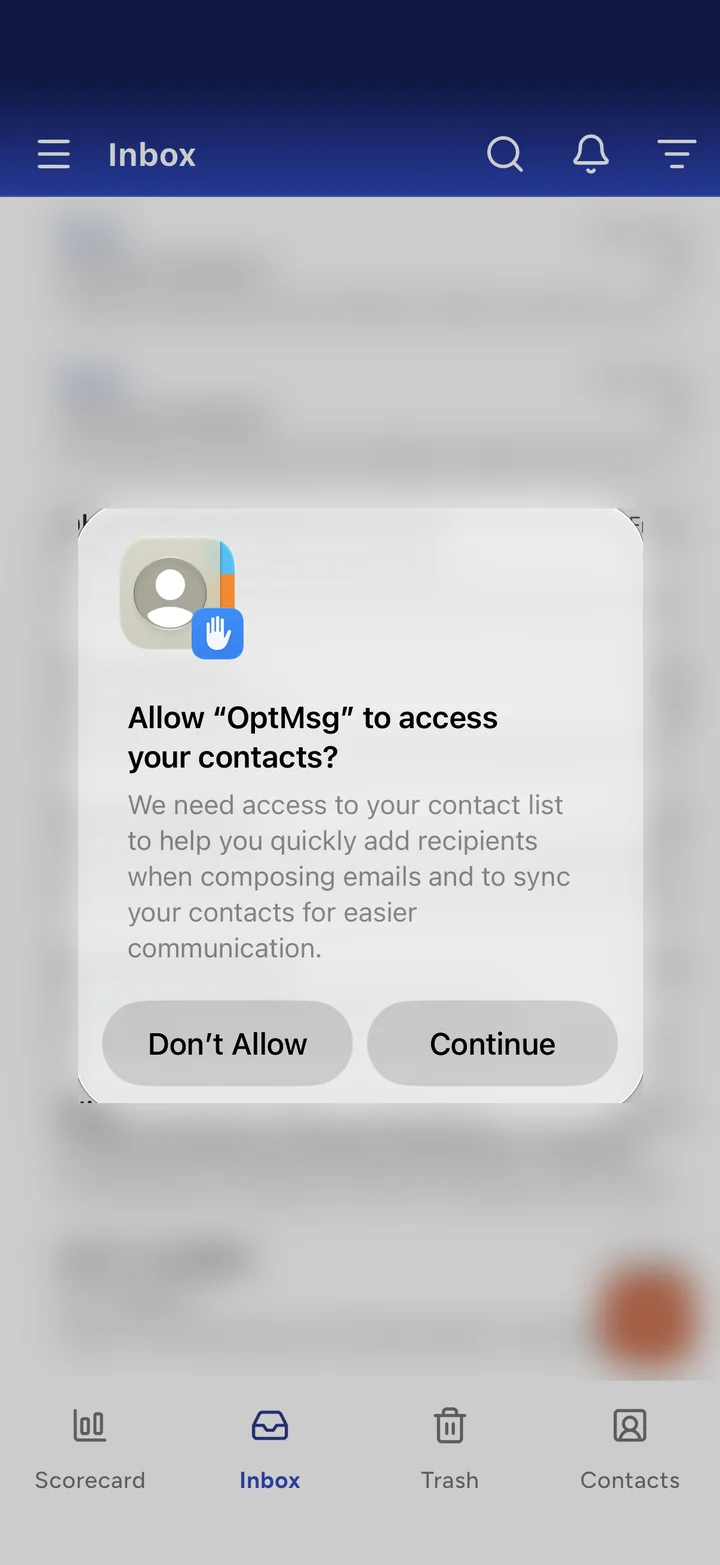
Real OptMsg screen. Personal details blurred.
Forward your existing email to your new account.
Turn on forwarding in your current email account, and new messages sent to your old address arrive in OptMsg. Your saved email history doesn’t transfer; it stays in your old account. Forwarding instructions:
Forwarding from Yahoo Mail requires a paid Yahoo account.
Watch: Forward your old email (1:41)Tip: some providers send a confirmation email to your new address before forwarding starts. If it isn’t in your Inbox, look in Trash.
Have more than one account? Forward multiple email accounts into your OptMsg account to manage them in one place.
You don’t have to give up your old address.
Forwarding brings new email into OptMsg. It doesn’t close your old account or move your saved messages. Keep the old account open until the people and services you care about have your new address.
What stays the same
- Your current address keeps working while you keep that account open.
- Your saved emails stay with your current provider.
- You update people and accounts on your own schedule.
What changes
- New mail can be forwarded in, and it still passes through your old provider first.
- You get a new @optmsg.com address.
- You decide who reaches your OptMsg Inbox.
When someone new emails you
Their first email goes to Trash, where you can see it. Approve them right from Trash, and their mail lands in your Inbox from then on.
Community Recommendations help you spot senders that many other OptMsg users have approved. You still decide whether to approve them. Messages stay in Trash for 30 days so you can see and restore them, then they leave your account.
Move the important things first.
Update your address over time, starting with what matters most.
People
Family, friends and anyone whose email you don’t want to miss.
- Tell them your new address
- Doctors’ offices and schools
Accounts
Change the email address in each account’s settings.
- Banks and credit cards
- Utilities, insurance and travel
- Online shopping
Subscriptions
A fresh start is a chance to keep only what you want.
- Newsletters you read
- Memberships and rewards programs
Questions about switching
Will I lose my existing emails?
No. Creating an OptMsg account doesn’t delete anything in your existing account. Your saved emails stay with your current provider. If you turn on forwarding, it sends new incoming email to OptMsg; it doesn’t move your old history.
Do I have to change my email everywhere right away?
No. You can keep using your existing address while you update people and online accounts gradually. Forward your existing email to your new @optmsg.com account in the meantime.
Can I change my Gmail address instead?
Google says you may be able to choose a new @gmail.com address, once every 12 months, and the old one keeps working as an alternate. It’s still the same Gmail account, with the same filters deciding what reaches you. With OptMsg, only people you approve reach your Inbox. Everyone else goes to Trash.
Can I bring more than one email account?
Yes. Forward multiple email accounts into your OptMsg account to manage them in one place.
Does OptMsg work on my phone?
Yes. OptMsg is available via Apple, Android and web.
What does it cost?
See plans and pricing.
Learn what else OptMsg can do.
Your Inbox. Your Rules.
Only people you approve reach your Inbox. Everyone else goes to Trash.
Keep your current email while you switch at your own pace.